Overview:
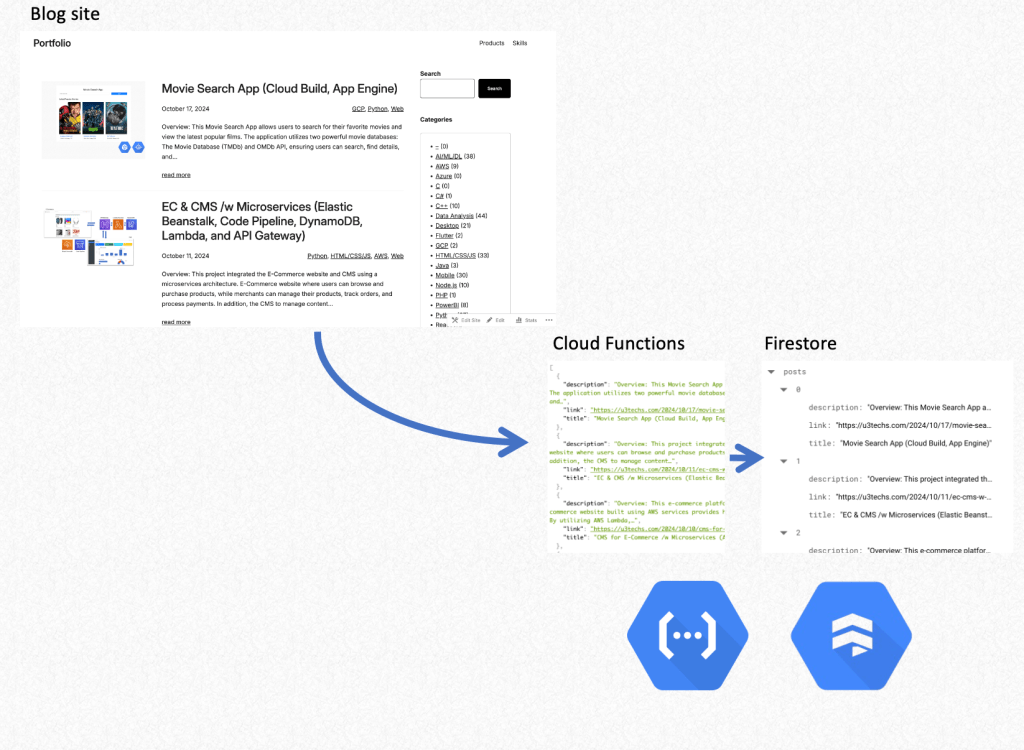
This Web scraping application is developed to extract data from websites automatically. This application can help save time and effort whether users gather data for analysis, monitor website changes, or extract content to store in a database. This is a serverless web scraper using Google Cloud Functions and Google Firestore. In this case, the scraper extracts blog posts from a website, stores the data in Firestore, and returns it in JSON format for easy access.
Overview:

Key Features:
- Serverless Architecture:
- Using Google Cloud Functions, the application runs serverless, scaling automatically based on traffic.
- Real-Time Web Scraping:
- The scraper extracts data (titles, links, and descriptions) from a given website in real time.
- Data Storage with Firestore:
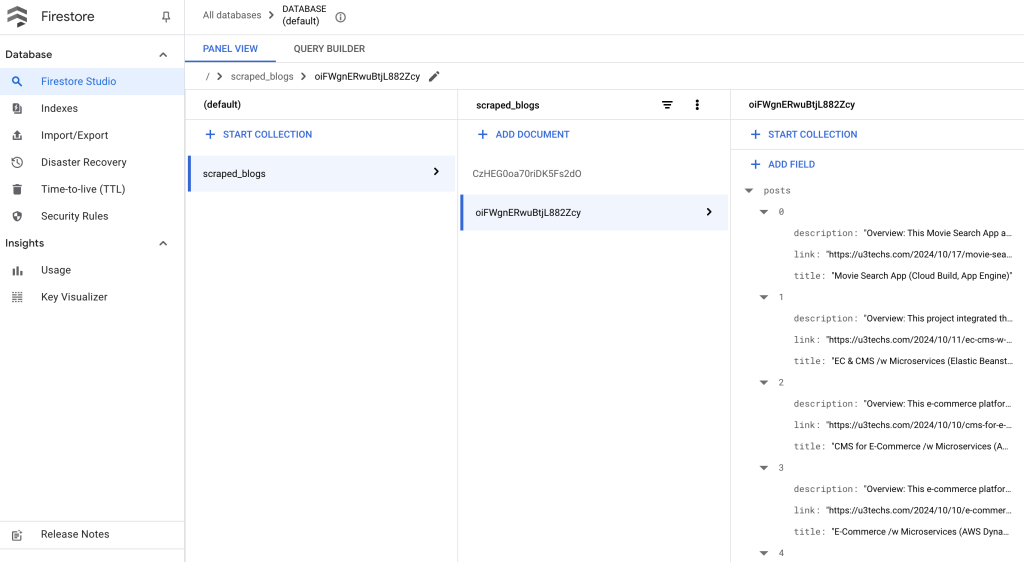
- Once the web scraper extracts the data, it stores it in Google Firestore, a flexible and scalable NoSQL database. This allows for easy querying, retrieval, and future use of the scraped data.
- Automated HTTP Trigger:
- The web scraper is triggered via an HTTP request, making it easy to integrate with other services or applications, such as CRON jobs or automated data pipelines.
- Error Handling and Reliability:
- The function includes error handling to manage network issues, failed requests, and unexpected data formats. If any issue arises, the user receives a meaningful error message.
Tech Stack:
- Google Cloud Functions:
- Google Cloud Functions is used here to handle the web scraping logic and return the results as JSON data.
- Google Firestore:
- Firestore is a NoSQL document database that stores the scraped data in a structured format. Each scraped data set is stored as a document in a Firestore collection, making it easy to retrieve and manage.
- Python:
- Python is used for this web scraper, leveraging libraries like requests for making HTTP requests and BeautifulSoup for parsing HTML data.
- BeautifulSoup:
- BeautifulSoup is a Python library for parsing HTML and extracting data from web pages. It allows for easy selection of HTML elements, such as titles and descriptions, and extracting their content.
Category:
Tags:
Links:
 Portfolio
Leave a comment