
Overview:
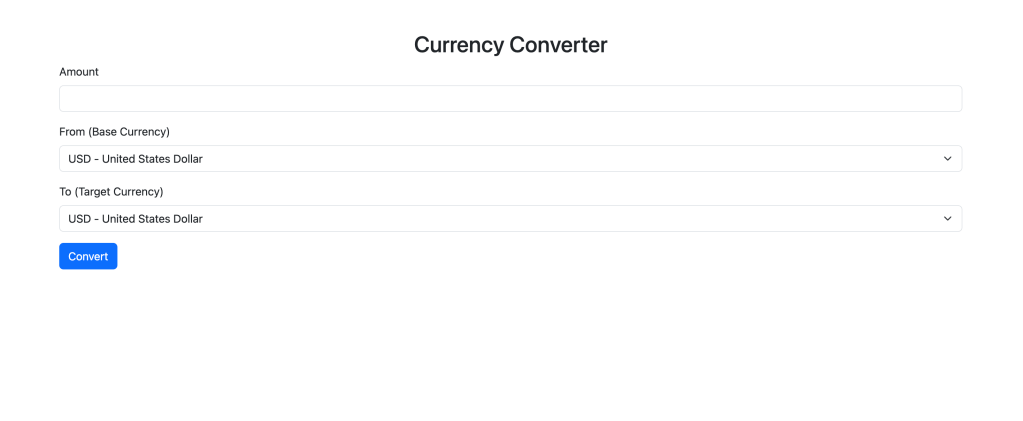
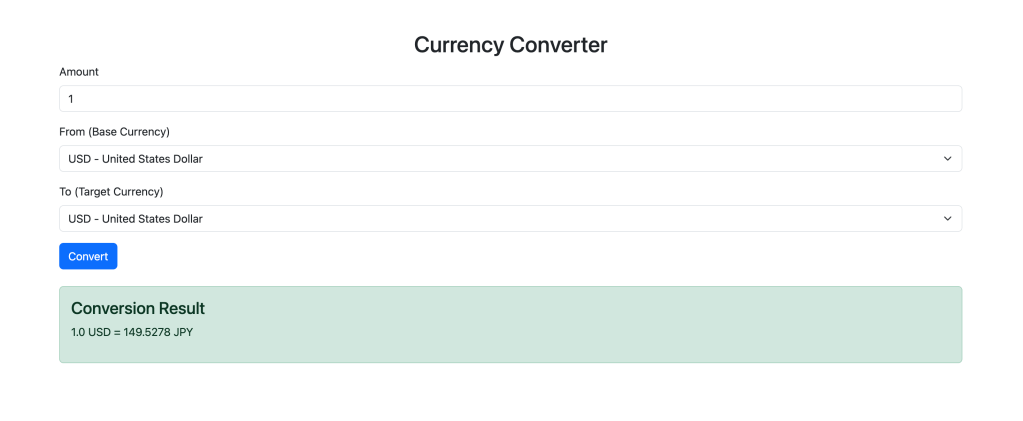
The Currency Converter App allows users to convert amounts between multiple currencies in real-time. By leveraging a third-party currency exchange API, the app fetches up-to-date conversion rates and displays the result to the user. It provides a simple user interface where users can enter the amount they want to convert, choose their base currency, select the target currency, and instantly get the conversion result.
Screenshots:
Key Features:
- Real-time Currency Conversion
- The app fetches live currency exchange rates via the ExchangeRate-API and provides users with accurate and up-to-date conversion values. The app calculates the converted amount based on the user’s input and displays it instantly on the screen.
- Predefined Currency Options
- Instead of manually entering currency codes, users can select their base and target currencies from a pre-defined list of common currencies. This makes the app easier to use and reduces the chances of input errors.
- Simple, Intuitive User Interface
- The user interface is designed with simplicity in mind, utilizing Bootstrap for styling and responsiveness. The app features an easy-to-navigate form where users can enter the amount, select currencies, and receive results in just one click.
- Error Handling
- The app includes basic error handling for invalid inputs, API errors, and invalid currency codes. If the API fails to fetch the exchange rates, or if the user enters an unsupported currency, the app gracefully informs the user and prompts them to try again.
Tech Stack:
- Flask (Python)
- Flask manages routing, processes user input, and communicates with the API to fetch exchange rates.
- HTML/CSS (Bootstrap)
- The app’s frontend is built using Bootstrap for styling and responsiveness.
- API Integration (ExchangeRate-API)
- The app uses a third-party API to fetch live exchange rates. Depending on the API service (ExchangeRate-API), users pass in the base currency, and the API returns exchange rates for a wide range of currencies.
- 5. Gunicorn
- For production deployment, Gunicorn is used, a WSGI HTTP server, to serve the Flask application. Gunicorn ensures that the app is scalable and can handle multiple user requests concurrently, making it suitable for real-world usage.
- 6. Azure App Service
- For deployment, Azure App Service was used to host the app, it manages platform that supports Python and Flask applications. Azure’s seamless integration with GitHub allows for easy continuous deployment, automatically updating the app whenever changes are pushed to the repository.
Category:
Tags:
Links:
 Portfolio
Leave a comment