Overview:
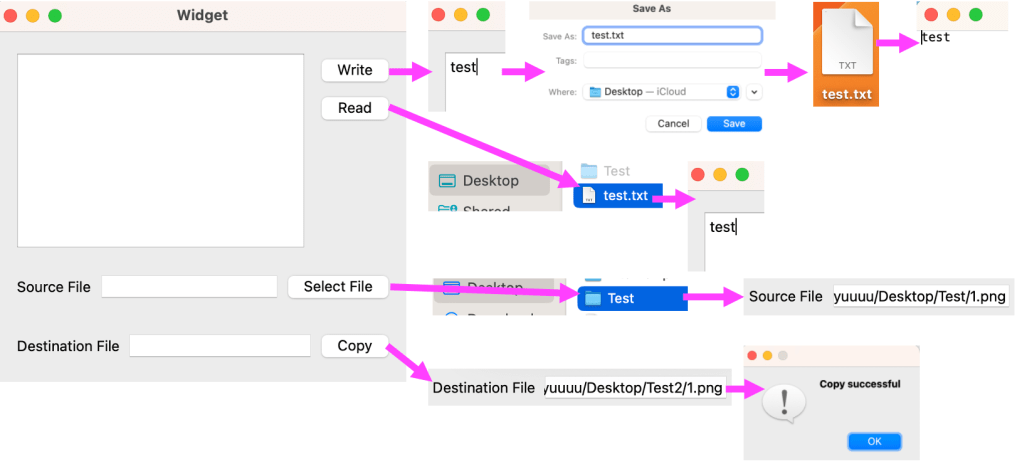
The File Manager is a desktop application designed for managing files, allowing users to create, read, and copy files with ease. The app enables users to write content to a file, read from a file, and copy files to a specified directory.
Screenshots

Key Features:
1. Create and Write to a File:
Users can input text into a text box and click “Write” to create a new file containing the entered content. This feature allows for easy file creation directly from the app.
2. Read a File:
The “Read” feature enables users to open an existing text file and display its contents in the text box, making it easy to review or modify the text.
3. Select Directory:
Users can browse and select a specific directory for managing files, allowing seamless navigation.
4. Copy File:
Users can enter the destination directory path and click “Copy” to duplicate a file to the specified location, facilitating quick file management.
Category:
Tags:
Links:
 Portfolio
Leave a comment