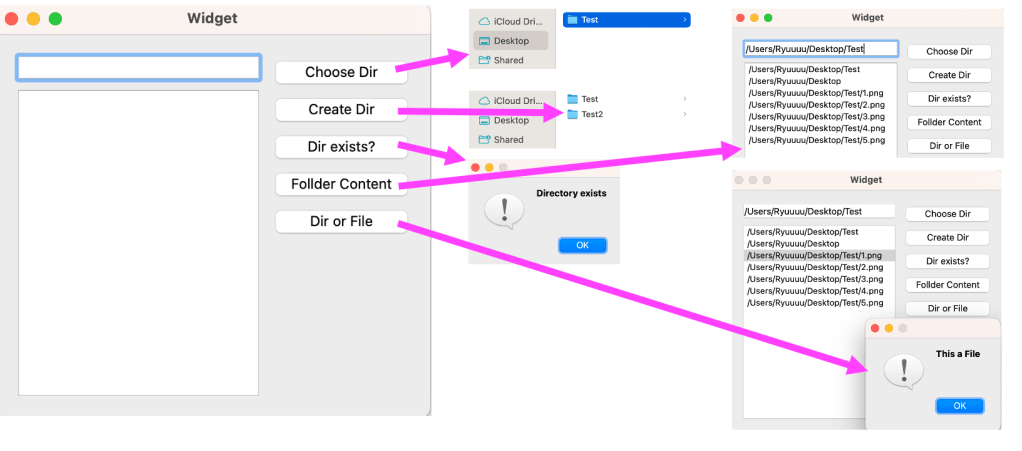
Overview:
The Directory Manager is a desktop application designed to help users manage and navigate directories. It provides options to choose, create, verify, and explore directories, as well as identify content types within folders.
Screenshots

Key Features:
1. Choose Directory:
Users can select an existing directory by clicking “Choose Dir,” which provides a file picker interface for easy navigation.
2. Create New Directory:
Users can input the path and name of a new folder in a text box and generate it by clicking “Create Dir,” allowing for easy directory management.
3. Check Directory Existence:
By clicking “Exist Dir?”, users can verify if a specified directory exists, ensuring proper directory management.
4. Folder Content Display:
The app lists all files and subdirectories within a selected folder, offering a quick view of its contents.
5. File or Directory Type Check:
Users can select an item and click “File or Dir” to check whether the selected content is a file or a directory.
Category:
Tags:
Links:
 Portfolio
Leave a comment