Overview:
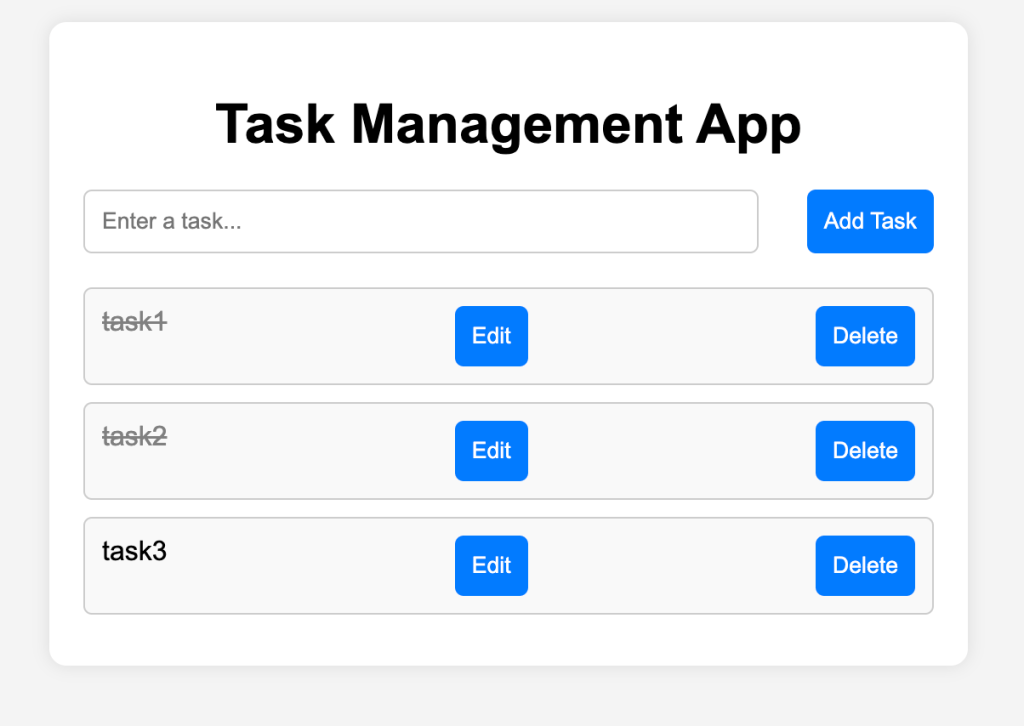
The Task Management App allows users to create, edit, complete, and delete tasks. The app dynamically updates the task list as users interact with it, giving real-time feedback on the state of each task. This app was built using React with the useState hook to manage local state.
Screenshots

Key Features:
1. Add New Tasks
Users can enter a task description into the input field and click the Add Task button to create the task. The task is then added to the list of tasks with options to edit, complete, or delete it.
2. Mark Tasks as Completed
Once a task is created, users can click on the task description to mark it as completed. Completed tasks are visually distinguished from incomplete ones by a strikethrough on the text, indicating that the task has been finished.
3. Edit Existing Tasks
The app includes an Edit Task feature, which allows users to modify existing tasks. If a user needs to change the task description, they can simply click the Edit button next to the task, and the task will be loaded into the input field for modification.
4. Delete Tasks
Users can remove tasks they no longer need by clicking the Delete button. This immediately removes the task from the task list, keeping the interface clean and focused on current tasks.
5. Real-Time Updates
All actions such as adding, editing, completing, and deleting tasks are performed in real-time without needing to refresh the page by React’s state management.
Category:
Tags:
Links:
 Portfolio
Leave a comment