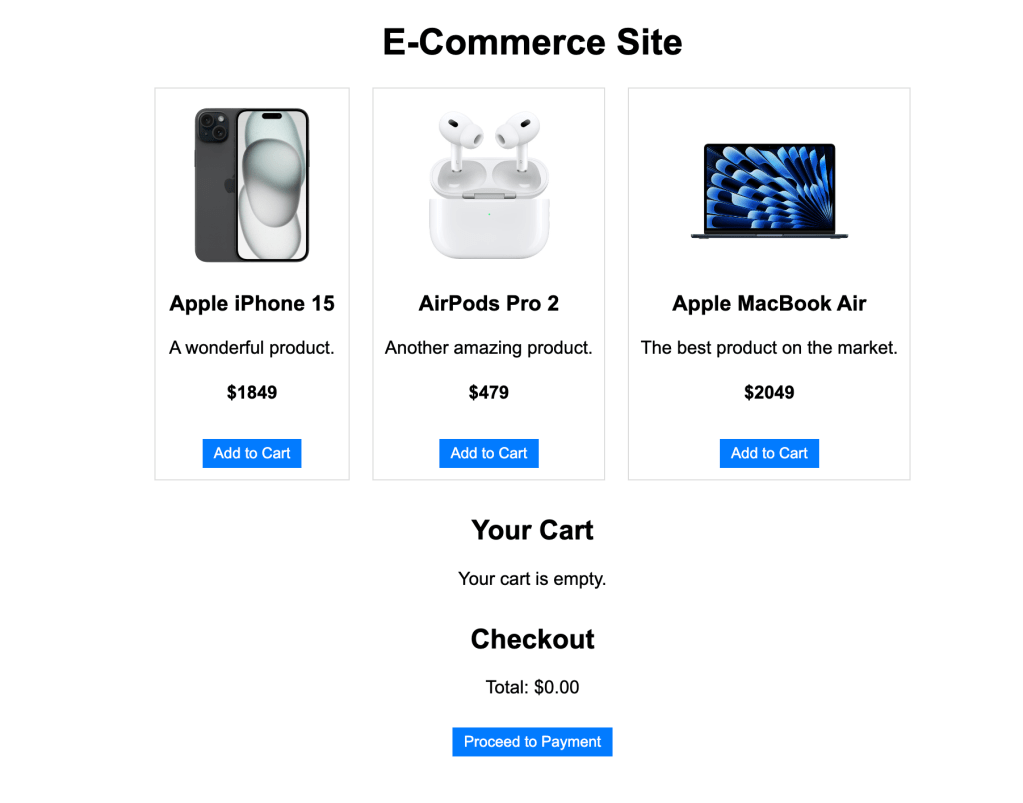
Overview:
This e-commerce platform is designed to showcase products, allow users to add items to their shopping cart, and manage their cart contents. Though it’s a simple project, it demonstrates important concepts such as modular component design, state management using React’s Context API, and responsive layout using CSS.
Screenshots

Key Features:
1. Product Listing Page
The product listing page dynamically displays products using dummy data. Each product shows:
- Image: A product image (placeholder or real).
- Name and Description: Basic details about the product.
- Price: The cost of the product.
- Add to Cart Button: Allows users to add the product to their shopping cart.
2. Shopping Cart
The shopping cart is fully dynamic, allowing users to:
- View Items: See which products are in the cart.
- Remove Items: Easily remove products from the cart.
- Real-time Updates: The cart updates instantly as users add or remove items.
3. Checkout System
The checkout feature provides users with:
- Total Price Calculation: Automatically calculates the total price of all items in the cart.
- Proceed to Payment: A dummy “Proceed to Payment” button that can be extended with actual payment gateway integration.
4. State Management with Context API
The Context API is used to globally manage the shopping cart state, making it easy to add or remove products from the cart across different components without passing props down multiple layers.
Category:
Tags:
Links:
 Portfolio
Leave a comment